Times Indian NewsTimes Indian Logo
  • Home
  • Categories
    • Latest News
    • India
    • World News
    • Sports News
    Times Indian
    • Home
    • India
    • World News
    • Sports News
    Home
    news
    after operation sindoor enable this phone setting to get instant danger alerts
    Times IndianTruth. Trust. India.

    Independent digital news platform covering India, world, politics, technology, sports, entertainment, and public-interest stories.

    Stay informed every day

    Get the top stories, in-depth analysis, and special reports delivered to your inbox.

    Subscription feature coming soon

    Company

    • ›About Us
    • ›Contact Us
    • ›Advertise With Us
    • ›Authors
    • ›Categories

    Editorial & Trust

    • ›Editorial Policy
    • ›Corrections Policy
    • ›Fact-checking Policy
    • ›Ownership & Funding
    • ›Grievance Officer

    Legal

    • ›Privacy Policy
    • ›Terms of Service
    • ›Disclaimer
    • ›Cookie Policy
    • ›Accessibility

    Categories

    • ›India
    • ›World News
    • ›Politics News
    • ›Sports News
    • ›Tech News
    • ›Entertainment

    Discovery

    • ›Search
    • ›RSS
    • ›Sitemap
    • ›News Sitemap
    • ›Home

    © 2026 Times Indian. All rights reserved.Times Indian is an independent digital news platform.

    Privacy PolicyTermsSitemap
    Back to top
    Tech News

    After Operation Sindoor, enable this phone setting to get instant danger alerts

    Following Operation Sindoor, turning on the emergency alert (SOS) setting in your smartphone can help you get instant danger alerts and also help warn others around you.

    Dustin AbhishekDustin Abhishek
    Published: 07 May 2025, 04:35 PM
    3 min read
    0 Comments
    13 Views

    Updated: 04 Jul 2026, 11:26 PM

    Source: Times Indian DeskNews Desk

    Report a correction
    Share:
    After Operation Sindoor, enable this phone setting to get instant danger alerts

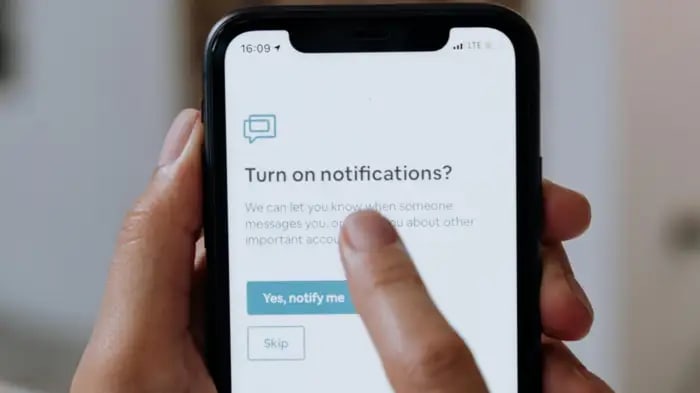
    Operation Sindoor: Indian Army has given a befitting reply to the terrorists of Pahalgam through Operation Sindoor. By entering Pakistan, the terrorists have been taught such a lesson that their generations will remember. Meanwhile, mock drills are being done in the country, so that the situation can be handled during any unpleasant incident. You can also play your role in this. Nowadays, there is a smartphone in every pocket. You can get alert during danger by turning on the emergency alert (SOS) in your phone. If someone has turned on the emergency alert in his phone, then he can also warn others about the danger. Emergency alert can be turned on in both Android and iPhone. We are telling you the method for this.


    How to turn on emergency alert in Android smartphone

    • Step 1: Go to the settings of your Android smartphone.
    • Step 2: Scroll down and you will find the option of Safety and Emergency. Click onit.
    • Step 3: At the bottom, you will find the option of Wireless Emergency Alert, click on it.
    • Step 4: You have to allow or turn on the wireless emergency alert. The options given below also have to be enabled. After this, emergency alert will be turned on in Android phone.


    How to turn on emergency alert in iPhone

    • Step 1: Go to the settings of your iPhone.
    • Step 2: The option of Notification will come, click on it.
    • Step 3: Scroll down to the bottom and you will find the option of Government Alert. It will have the option of Test Alert.
    • Step 4: Test Alert has to be turned on. By doing this, the emergency alert will turn on.


    What is the benefit of emergency alert


    The benefit of emergency alert will be that in future when any situation arises in which citizens have to be warned and the government sends an emergency alert to warn the citizens, you will also get it. Not only this, you will also be able to warn other people. In many countries of the world, governments send such alerts to their citizens when needed. Whenever this alert comes in the phone, a notification is received on the entire screen. A beep siren is also heard. Even if the phone is in silent mode, the sound comes.


    Different types of testing have been done in India

    Another type of testing has been done in India regarding emergency alert. Testing was done by the Government of India in the month of October in the year 2023. Then the National Disaster Management Authority (NDMA) sent an emergency alert to many mobile users of India. It was a flash message, which was sent to all Android and iOS users with a special tone. Then the government said that it is testing a system to send alerts to people during a disaster. Its alerts can make people aware not only during war but also in situations like flood, natural disaster, tsunami, earthquake. That is why you should also turn on the settings in your phone.


    Times IndianOfficial Author

    Editorial Profile

    Share Story

    Official portrait of Dustin Abhishek - Times Indian Author

    Dustin Abhishek

    Verified by Times Indian
    Official ContributorVerified by Times Indian

    “Journalist | Founder of Times Indian | Truth Seeker & Storyteller In a world full of noise, I believe in the power of truth. As the founder of Times Indian, I bring stories to life—unfiltered, fearless, and impactful. My passion lies in uncovering untold narratives, breaking down complexities, and delivering news that truly matters. With a sharp eye for detail and an unwavering commitment to journalistic integrity, I aim to inform, inspire, and ignite change. Whether it’s politics, business, technology, or social issues, I dive deep to bring clarity to the chaos. Because journalism isn’t just about reporting facts—it’s about shaping perspectives, amplifying voices, and making a difference. Follow Times Indian for news that speaks the truth.”

    Further Reading

    China’s 6G Metasurface Tech Turns Walls and Pipes Into Network Boosters
    China’s 6G Metasurface Tech Turns Walls and Pipes Into Network Boosters
    June 28, 2026
    Supreme Court Draft AI Rules Spark Debate; Comments Invited by June 20
    Supreme Court Draft AI Rules Spark Debate; Comments Invited by June 20
    June 08, 2026
    IRCTC adds ‘Resume Retry’ feature for ticket booking after payment failure
    IRCTC adds ‘Resume Retry’ feature for ticket booking after payment failure
    April 15, 2026
    Sam Altman urges limited screen time, stresses outdoor play for children
    Sam Altman urges limited screen time, stresses outdoor play for children
    April 06, 2026
    Sam Altman tells IIT Delhi students to question advice on AI future
    Sam Altman tells IIT Delhi students to question advice on AI future
    February 24, 2026
    AI Impact Summit opens in Delhi with 20 global leaders attending
    AI Impact Summit opens in Delhi with 20 global leaders attending
    February 19, 2026

    Discussion (0)

    Syncing Discussions...

    Leave A Reply

    Speak Truth To Power

    Moderated by Times Indian

    0 / 500