

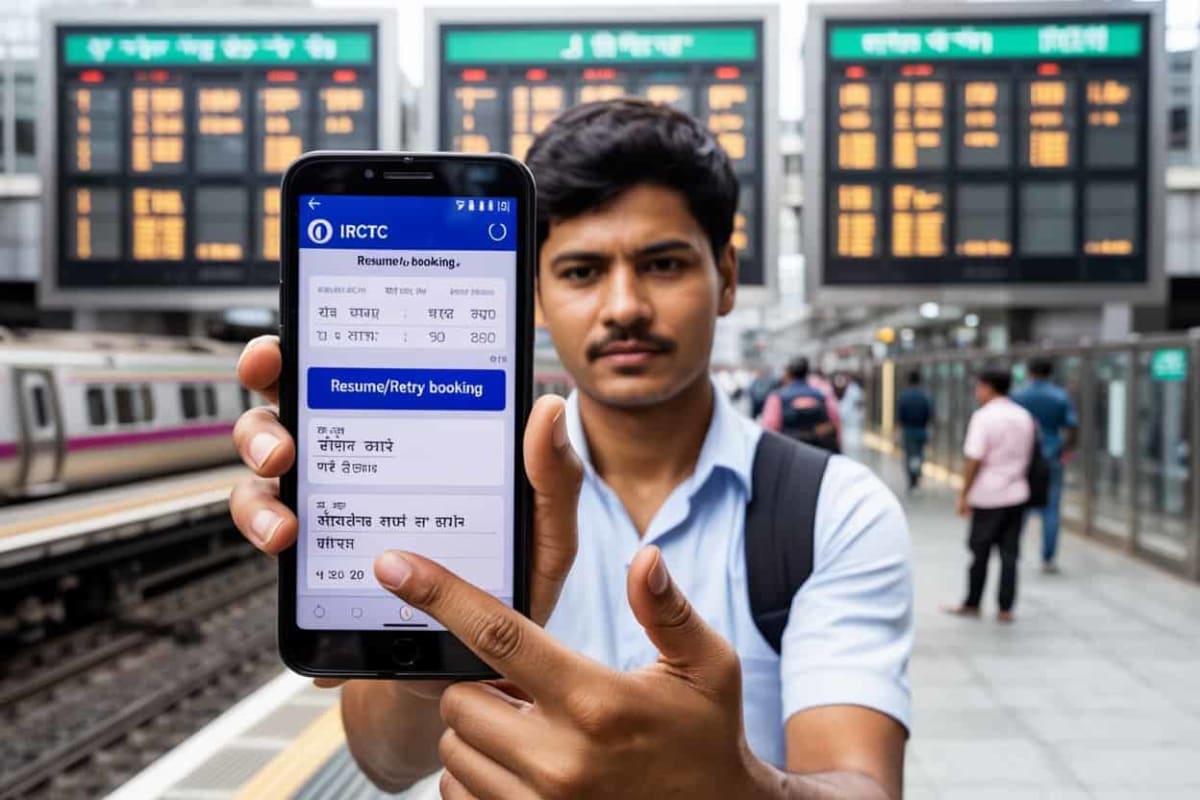
IRCTC AutoPay Feature: Booking train tickets often becomes a frustrating experience when funds are debited from your account, but the ticket fails to book. In such instances, you not only lose out on the seat but also face delays in receiving an immediate refund of your money. However, few people know about a specific IRCTC feature that, if utilized, allows you to instantly book the ticket using the previously deducted amount—without having to pay again—in the event of a payment failure.
This feature is called 'Resume Retry Booking'; it enables you to complete your booking using the already deducted amount, even if the initial payment attempt was cancelled. This feature proves invaluable when payments fail for various reasons—such as technical glitches or server issues—resulting in money being debited from the account without the booking being successfully processed. Please note that to avail the benefits of this feature, it is mandatory to select 'IRCTC iPay' as your payment gateway while booking the ticket.
This not only accelerates your transaction process but also ensures that, in the event of a payment failure, you do not have to spend money from your pocket a second time.
What is the 'Resume Retry Booking' Feature?
What is the 'Resume Retry Booking' Feature?
It is a common occurrence on IRCTC for a booking to fail due to payment issues while attempting to purchase a ticket. The 'Resume Retry Booking' feature serves as the solution to this very problem. Payment failures often occur due to technical glitches at the payment gateway or because the bank's servers are down. Consequently, passengers are typically forced to go through the arduous process of searching for trains and re-entering passenger details all over again—in addition to having to spend money once more. The 'Resume Retry Booking' feature saves you from having to repeat the entire process from scratch, allowing you to resume the payment exactly from where you left off. This saves time and increases your chances of securing a confirmed ticket, particularly during high-demand situations such as Tatkal bookings.
**How to Book Tickets**
**How to Book Tickets**
While booking your ticket, select 'IRCTC iPay' from the available options on the payment page. Within this interface, you can complete your payment using any method—be it a credit card, debit card, or UPI.
Now, if the payment fails—but the amount has already been debited from your bank account and the ticket remains unbooked—simply click on the 'Resume/Retry' option.
Since you had selected iPay, the IRCTC server will recognize that funds corresponding to this specific transaction ID have already been deducted.
Consequently, the system will not prompt you to make a fresh payment. Instead, it will link the previously made payment to your current booking, and your ticket will be generated.
**Important Points to Note**
**Important Points to Note**
This feature functions *only* when you utilize the iPay payment gateway. With other bank aggregators—such as HDFC, ICICI, or the Paytm Gateway—the funds are routed to the respective banks, making them inaccessible for immediate use by IRCTC.
For this feature to work, it is mandatory that the total amount for the new booking remains exactly equal to that of the previous failed booking. If the amount differs (either higher or lower), this feature will not function.
If, for any reason, the ticket remains unbooked even after retrying, the deducted amount will be refunded to your bank account.





Discussion (0)
Leave A Reply
Speak Truth To PowerModerated by Times Indian