

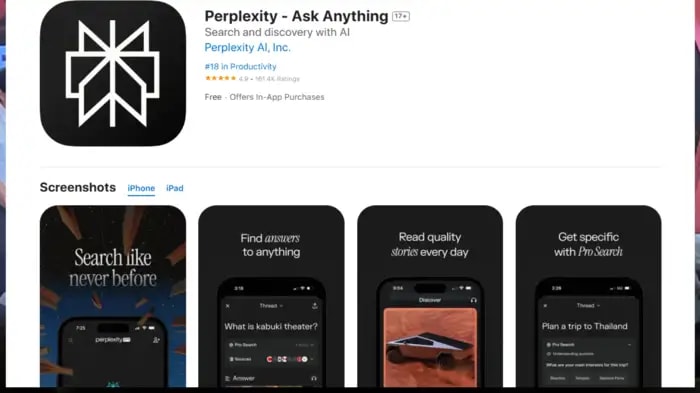
Perplexity has introduced an advanced voice assistant for iPhone, which claims to perform better than Siri. This AI assistant can do many tasks like media control, email handling and setting schedules. After Android, now iPhone users will also be able to use it as default AI, which will give competition to Siri.
Although Apple started the trend of voice assistants in the smartphone industry, despite being old, Siri has always been found to be weaker than voice assistants like Google. However, to fill this gap, Perplexity has launched a voice assistant specifically for iPhone. Perplexity's voice assistant is quite advanced and it will be able to do many such tasks which are currently not possible to do through Siri. Through this advanced AI, you will be able to get answers to your questions in real time, from controlling media on your iPhone, handling emails and setting schedules.
How is it different
Let us tell you that it will work as a part of the iPhone ecosystem, unlike Siri or Google Assistant. This will enable it to support multitasking and many more features. This AI voice assistant was also launched for Android smartphones about three months ago. Now iPhone users will be able to use it as a default AI. This new voice assistant will give a new option to both Android and iOS users. Actually, it has been seen from the beginning that in the case of Android, some of Google's apps like Chrome browser etc. have been in profit. The same is the case with iOS, where apps like Siri and Safari get a good user base without any effort. Perplexity has done the work of changing this situation in the case of voice assistant.
Start it on your iPhone like this
- To use it on your iPhone, first you have to go to the Apple App Store and download the Perplexity app. After this, after signing in to the app, you will be able to ask your questions to Perplexity by tapping on the mic icon.
- To access it easily, Perplexity can also be set as an action button. For this, go to the settings of your phone and tap on the action button.
After tapping on the action button, select the shortcut option. After setting Perplexity in the shortcut, you will be able to access this new voice assistant with a single click of the action button.
Point to note
As you know, iOS has always been very serious about user privacy. In such a situation, it does not allow many automations to run without the user's permission. On the other hand, on Android OS, it does many tasks just by speaking. User permission is not required for this.







Discussion (0)
Leave A Reply
Speak Truth To PowerModerated by Times Indian